Best Android TV box for IPTV in 2026: picks, prices and the safe way to buy one
 By Adrien Chevalier, Payments & Subscriptions Editor Last updated
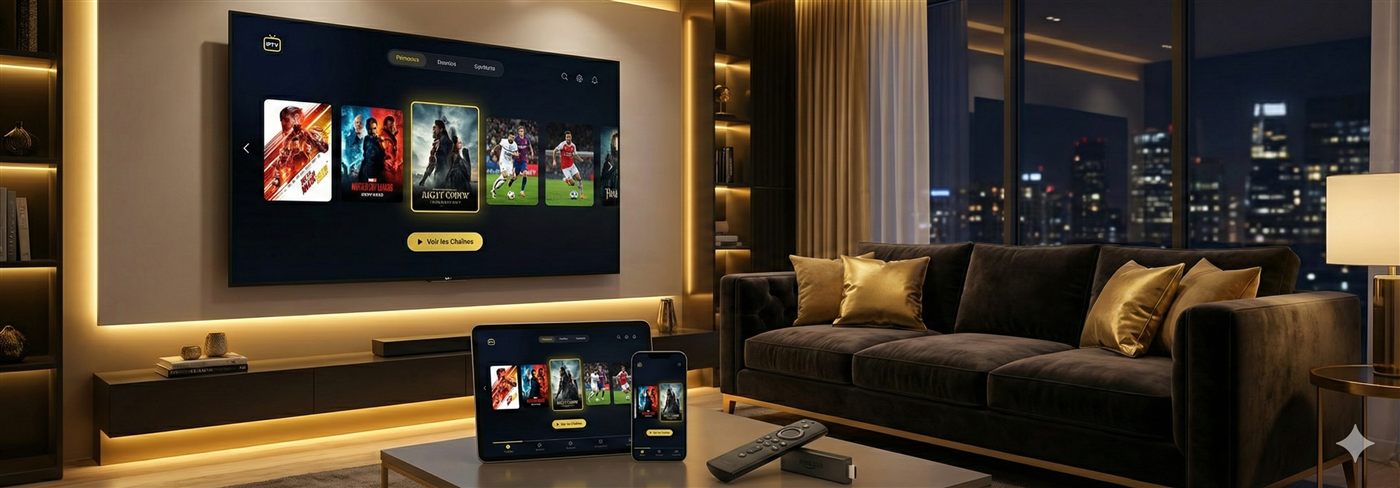
Two decisions decide your IPTV hardware happiness: which box, and which seller. The box question has a boring, reliable answer — a certified Android TV / Google TV device at €40–70 with an Ethernet socket and 2 GB+ of RAM plays 4K IPTV flawlessly and runs TiviMate and IPTV Smarters from the genuine Play Store. The seller question is where people lose money: buy the hardware from a mainstream retailer with return rights and a disputable payment, never from whoever is selling you a subscription bundle on Facebook. Below: picks per budget, the four specs worth paying for, what a full setup honestly costs, and the loaded-box trap this market never retires.
- Buy: certified Google TV box, €40–70, Ethernet + 2 GB RAM — from a real retailer, by card or PayPal.
- Shield = comfort upgrade · Fire Stick 4K = second-TV pick · "fully loaded" box = refuse.
- Channels come from the subscription, not the box — budget for both, buy them separately.
The four specs worth your money (everything else is stickers)
Box marketing lists a dozen numbers; live TV cares about four. First and biggest: the network socket. A live stream needs data arriving steadily every single second, and Wi-Fi's tiny drop-outs — harmless for Netflix's buffered playback — are precisely what freezes a counter-attack. Wiring the box with a €5 Ethernet cable removes the leading cause of IPTV frustration outright; if a cable truly can't reach, insist on modern 5 GHz Wi-Fi and read the router guide before blaming any provider.
Second: memory. A player app juggling a 20,000-channel list and a week of programme guide is heavier than its icon suggests. Boxes with 1 GB start lagging within months as caches grow; 2 GB is the working floor, and 3–4 GB stays instant for years. Third: hardware HEVC (H.265) decoding, because that's how most 4K IPTV arrives — every current certified box has it, many marketplace no-names fake it. AV1 support is a pleasant future-proof, nothing more. Fourth, and most skipped: real certification. Uncertified "AOSP" boxes ship with cloned Play Stores that rot — updates never come, apps stop installing, DRM features die. A genuinely certified Android TV / Google TV device announces the branding officially and carries licensed Netflix/YouTube out of the box. Saving €15 by ignoring this is the most expensive €15 in streaming.
And what doesn't matter: CPU benchmark bragging (a dedicated video chip does the decoding), "8K-ready" badges (no IPTV service transmits 8K), 64 GB of storage (player apps are tiny), and RGB lighting — which in this market correlates almost perfectly with the uncertified junk you're avoiding.
Picks by budget — and the protection each purchase comes with
| Tier | Class of device | One-off cost | The case for it | Buy it from / protection |
|---|---|---|---|---|
| Second-TV budget | Amazon Fire TV Stick 4K | €35–60 | Cheapest dependable 4K player; every major IPTV app runs (TiviMate via sideload) | Amazon direct — card/PayPal, 14-day return, painless warranty |
| The recommendation | Certified Google TV box with Ethernet (onn. 4K Pro class, Chromecast-successor boxes) | €40–70 | Wired port, 2–3 GB RAM, clean Google TV — the whole spec list satisfied at the lowest price | Mainstream electronics retailer — same rights, real invoice |
| Comfort premium | Nvidia Shield TV / Pro | €150–220 | Fastest menus, superb upscaling of HD channels on 4K panels, gigabit port, years of updates | Mainstream retailer — you're paying for polish, protect the payment anyway |
| Live-TV specialist | Formuler Z-series / MAG | €90–150 | Purpose-built around the guide-first TV experience; beloved in heavy sport households — see the Formuler and MAG guides | Specialist dealers — check the returns policy BEFORE paying, and pay disputably |
We deliberately name device classes, not affiliate links — we sell subscriptions, not boxes, so no commission bends this table. Any certified device meeting the four specs streams identically.
What an IPTV setup really costs
The honest arithmetic that listing pages avoid — hardware is a one-off, the service is the only recurring line:
| Item | Cost shape | Typical figure | Protection |
|---|---|---|---|
| The box (this page) | One-off | €40–70 once | Retailer returns + warranty, card/PayPal dispute rights |
| Ethernet cable | One-off | ~€5 | Does more for match nights than €100 of extra box |
| The subscription, yearly | Recurring, no auto-renewal | from ~€4.92/month | PayPal Goods & Services or card — the safe-payment guide |
| Cable/satellite it replaces | Recurring, contract | €30–50/month | — (that's rather the point) |
Year one, all-in, lands around €120–130 — box included. The same year of cable runs €360–600 with a contract attached. That gap, not the hardware, is the actual story of this purchase.
Fire Stick against a proper box: settle it in one minute
The question our WhatsApp gets most. A Fire Stick 4K costs €35–60, hangs invisibly behind any TV, and covers a bedroom, a holiday flat or a first experiment perfectly — its costs are Wi-Fi-only networking (Ethernet needs a ~€15 adapter), tighter 1.5–2 GB memory, and an Amazon store where TiviMate requires a five-minute sideload. A certified Android box at €40–70 answers all three: built-in Ethernet, roomier RAM, the full Play Store. So: main TV, sport-heavy household → box with a cable in it. Everything else → Stick and don't overthink. Both setups are walked through in the Android box guide and the Fire Stick guide.
The "fully loaded" box: a payment trap wearing a hardware costume
Marketplace listings promising "15,000 channels for life, no subscription ever, €79" are this market's oldest bait, and it's worth understanding the mechanics rather than just the warning. What ships is an uncertified box with a reseller's playlist pre-installed. The arithmetic is impossible on its face — nobody delivers thousands of streams "for life" against a one-off €79 — so the playlist survives exactly as long as the seller keeps paying their upstream, historically a few weeks. Now notice the payment shape: these bundles live on marketplace side-channels and social sellers who want Friends & Family transfers, gift cards or crypto — precisely the routes with no dispute path. A clean box from a real shop gives you EU return rights and a warranty; a loaded box from a WhatsApp seller gives you a dead paperweight and silence. It's the same rule this whole site teaches: hardware from disputable retail, service from a provider who confirms channels in writing before payment — never both from one anonymous seller. The complete red-flag list lives in the scams guide.
From unboxing to watching
Whatever you chose, day one is ten minutes: put TiviMate (the best guide experience) or IPTV Smarters Pro (the gentlest learning curve) on the box from the Play Store, enter the Xtream Codes login or M3U link your subscription provides — both standards, both included with our plans, and transferable from an old device in five minutes — then let the channel list and guide sync while you clip in the Ethernet cable. The illustrated version is the Android box setup guide; undecided on the player, read the app comparison first.
The five ways buyers waste money here
After enough WhatsApp conversations, the failure modes repeat with almost comic reliability. People buy boxes because the listing bragged about channel counts, not realising channels belong to the subscription. They save €10 taking the 1 GB model and buy again within a year. They skip the Ethernet cable, then send their provider furious buffering messages that the buffering post-mortem traces back to Wi-Fi. They pay €80 for "lifetime included" and learn the lesson above the hard way. And they overspend on flagship hardware expecting a better picture, when a €50 certified box decodes the identical stream — premium money buys comfort, never pixels.
Check before buying: maybe your TV already is the box
A television running Android TV or Google TV — most recent Sony, Philips, TCL and Hisense sets — installs the same player apps natively; the box would just duplicate it. Samsung's Tizen and LG's webOS carry native IPTV players too, per the Samsung and LG guides, with a narrower app shelf — the one reason sport households still add a box to those TVs is TiviMate. Even a games console covers the job in a pinch (Xbox & PlayStation guide). When the TV qualifies, spend the box budget on the yearly plan instead — that's the purchase that actually contains the channels. And if match nights are the whole point, size everything by the sport criteria rather than any hardware sticker.
Frequently asked questions
What is the best Android TV box for IPTV in 2026?
A certified Android TV or Google TV box costing €40–70, with an Ethernet socket and no less than 2 GB of RAM, wins for almost everyone: 4K IPTV plays clean, and TiviMate plus IPTV Smarters install straight from the real Play Store. Pay more only for the Nvidia Shield's polish; pay less only for a Fire Stick 4K on a secondary TV.
Where should I buy an IPTV box?
From a mainstream retailer — Amazon, MediaMarkt, Fnac, Currys, bol.com or similar — with a card or PayPal. That route gives you the EU's 14-day online return right, a real warranty, and a payment you could dispute. What you never do is buy hardware from the same social-media seller offering the subscription: hardware and service bundled through an undisputable payment is the market's signature scam shape.
Do expensive boxes stream IPTV better?
Past the spec floor, no. Streaming quality is decided by the source and your connection; the hardware only has to decode it, which a €50 certified box does identically to a €200 one. The premium tier buys you snappier menus, nicer remotes and longer update support — comfort, never picture.
Fire Stick or Android box — which is right for IPTV?
Ask where it will live. The main TV where the big matches happen deserves a proper box with wired Ethernet and 2 GB+ of RAM. A bedroom TV, a holiday flat, or a first cautious experiment with IPTV suits the cheaper Fire Stick 4K fine — accepting its Wi-Fi-only nature and the sideloading step TiviMate needs there.
Which specs actually matter for IPTV?
Four things, in this order: a wired network socket (or failing that, strong 5 GHz Wi-Fi), at least 2 GB of memory, hardware HEVC/H.265 decoding for 4K streams, and genuine Android TV / Google TV certification. Everything else on the spec sheet — CPU scores, 8K stickers, gaming RAM — changes menus, not streams.
What is wrong with "fully loaded" IPTV boxes?
Everything that matters: the bundled "lifetime" service is a reseller playlist that dies when the seller stops paying for it, the hardware underneath is usually uncertified junk, and the whole bundle is typically sold through payment routes with no dispute path. You end up owning a dead €80 box that costs €30 clean — with nobody to claim against.
How much bandwidth does a box need for IPTV?
Plan on a sustained 10 Mbps for each HD stream and 25 Mbps for each 4K one — and understand that steadiness beats headline speed. A line that holds 30 Mbps without wobbling gives smoother live sport than a 200 Mbps line that dips for half a second at a time.
Can my Smart TV replace the box completely?
Often, yes. TVs running Android TV or Google TV install the same player apps directly; Samsung and LG have native IPTV players on Tizen and webOS too. Skip the box and put the saved money toward a longer subscription — unless the TV is old and slow, or you want TiviMate on a Samsung/LG where it does not exist.
Buy boring: the certified €40–70 Google TV box with an Ethernet socket, from a real retailer, on a card or PayPal — protected twice, once by the shop's return policy and once by your payment. Refuse loaded boxes on principle, wire the connection, and put every euro saved into the subscription, which is the half of the setup the channels actually live in. Tell us which box you're eyeing and we'll confirm your channels in writing before anything is paid.